TravelHub User Guide
TravelHub is a contact management app designed to help travel agents efficiently manage customer information and service details, such as addresses and contact information. Using a simple command-line interface, it supports adding, deleting, tagging of contact profiles and trips.
Quick start
Ensure you have Java
17or above installed in your Computer.
Windows users: Download and install JDK 17 from here
Mac users: Ensure you have the precise JDK version prescribed here.- Open a command terminal (Windows: search for cmd , Mac: use Spotlight to find Terminal )
- Verify installation by typing
java -versionin your terminal
Download the
TravelHub.jarfile from the latest release here.- The
.jarfile will be listed under the Assets dropdown of the latest version - click on it to begin your download
- The
Copy the
TravelHub.jarfile to the folder you want to use as the home folder for TravelHub. Other additional folders (e.g. data folder) will be created within this home folder.Open a command terminal,
cdinto the folder you put the jar file in, type thejava -jar travelhub.jarcommand to run the application.
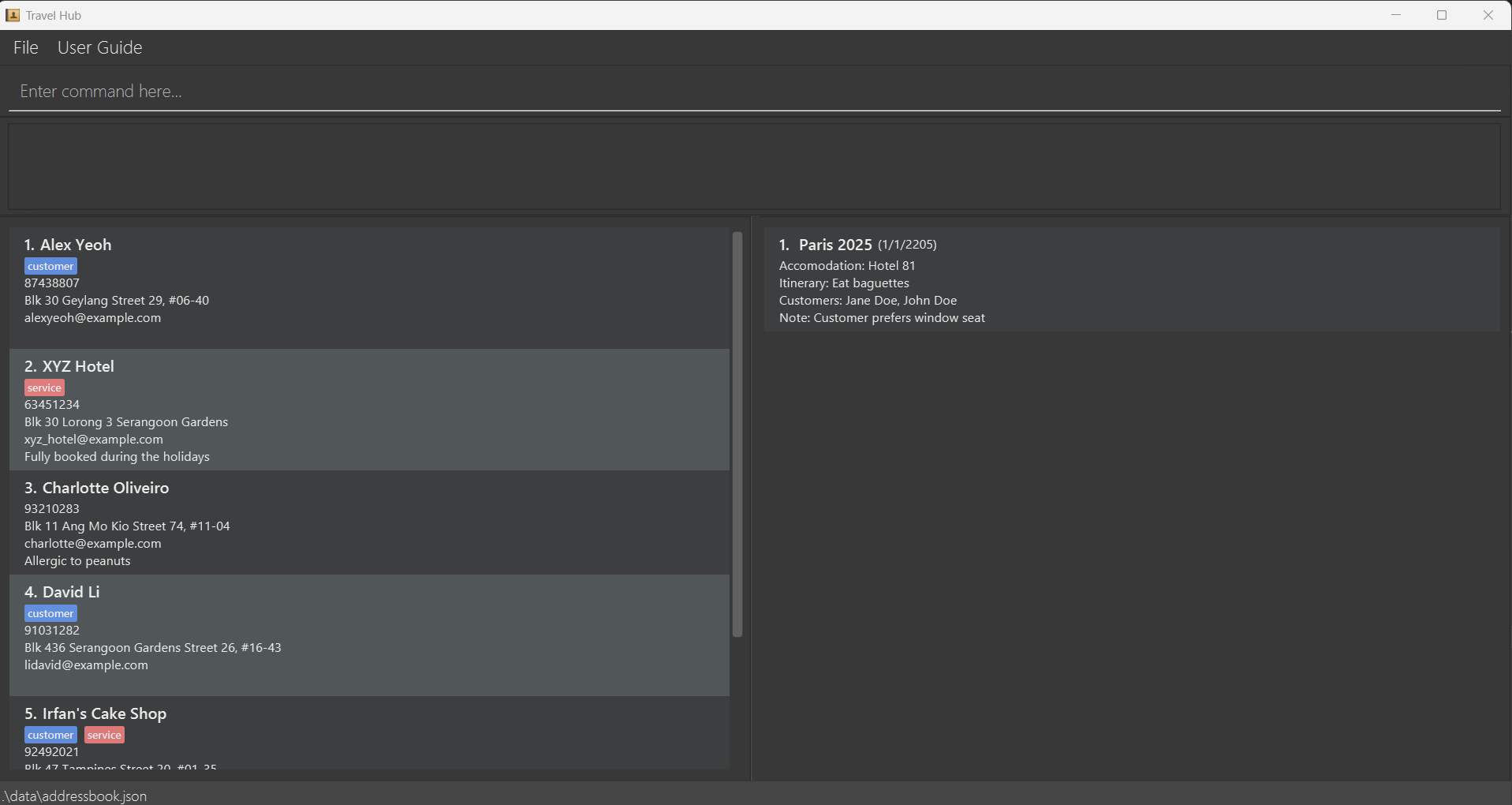
A GUI similar to the below should appear in a few seconds. Note how the app contains some sample data.
Type the command in the command box and press Enter to execute it. e.g. typing
helpand pressing Enter will list all the available commands.
Some example commands you can try:listContact: Lists all contacts.addContact n/John Doe p/98765432 e/johnd@example.com a/John street, block 123, #01-01: Adds a contact namedJohn Doeto the Address Book.deleteContact 3: Deletes the 3rd contact shown in the current list.clear: Deletes all contacts and trips.exit: Exits the app.
Refer to the Features below for details of each command.
Graphical User Interface Layout
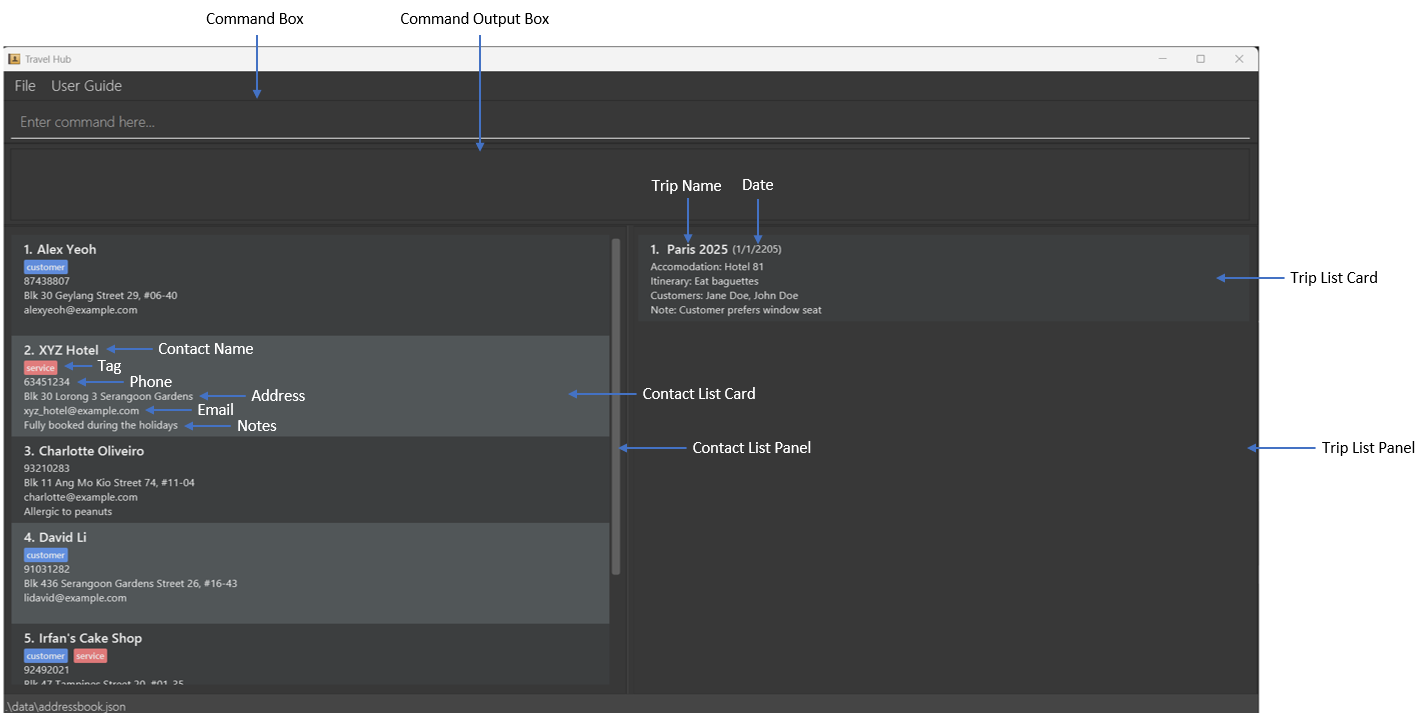
- Command Box: For users to enter commands.
- Command Output Box: Display the output/error message of the executed command.
- Contact List Panel: This panel displays the list of contacts.
- Contact List Card: Details of a contact displayed in a card.
- Trip List Panel: This panel displays the list of trips.
- Trip List Card: Details of a trip displayed in a card.
Features
IMPORTANT: All commands are case-sensitive
Notes about the command format:
Words in
UPPER_CASEare the parameters to be supplied by the user.
e.g. inaddContact n/NAME,NAMEis a parameter which can be used asaddContact n/John Doe.The parameter
nts/NOTEis optional for Trip and Contact.
However, if added, it must be the final input parameter.Items in square brackets are optional.
e.gn/NAME [t/TAG]can be used asn/John Doe t/customeror asn/John Doe.Items with
… after them can be used multiple times including zero times.
e.g.[t/TAG]…can be used as(i.e. 0 times),t/customer,t/customer t/serviceetc.Parameters can be in any order.
e.g. if the command specifiesn/NAME p/PHONE_NUMBER,p/PHONE_NUMBER n/NAMEis also acceptable.Extraneous parameters for commands that do not take in parameters (such as
help,exitandclear) will be ignored.
e.g. if the command specifieshelp 123, it will be interpreted ashelp.If you are using a PDF version of this document, be careful when copying and pasting commands that span multiple lines as space characters surrounding line-breaks may be omitted when copied over to the application.
Contact Parameters
A contact consists the following parameters: name, phone, email, address, tags and notes.
The parameters follow immediately after their corresponding prefixes and are useful for the addContact and editContact commands.
| Parameter | Prefix | Description |
|---|---|---|
NAME | n/ | Specifies the name of the contact. Requirements:
|
PHONE | p/ | Specifies the phone number of the contact. Requirements:
|
EMAIL | e/ | Specifies the email of the contact Requirements:
|
ADDRESS | a/ | Specifies the address of the contact. Requirements:
|
TAG | t/ | Specifies the tag of a customer. Requirements:
|
NOTE | nts/ | Specifies additional notes related to the contact. Requirements:
|
Trip Parameters
A trip consists the following parameters: trip name, accommodation, itineraries date, customers, and notes.
The parameters follow immediately after their corresponding prefixes and are useful for the addTrip and editTrip commands.
| Parameter | Prefix | Description |
|---|---|---|
NAME | n/ | Specifies the name of the trip. Requirements:
|
ACCOMMODATION | acc/ | Specifies the accomodation for the trip. Requirements:
|
ITINERARY | i/ | Specifies the itinerary for the trip. Requirements:
|
DATE | d/ | Specifies the date of the trip. Requirements:
|
CUSTOMER_NAME | c/ | Specifies the name of the customers participating in the trip. Requirements:
|
NOTE | nts/ | Specifies additional notes related to the trip. Requirements:
|
Command Descriptions
All commands are case-sensitive and listed in alphabetical order. Please follow the specified format for each command carefully
Adding a contact: addContact
Adds a contact to the address book.
Format: addContact n/NAME p/PHONE e/EMAIL a/ADDRESS [t/TAG]… [nts/NOTE]
- Email must be unique across all contacts.
- Tags must be 'customer' or 'service' e.g., 't/customer t/service'.
- A contact can have no tags, 1 tag or both the customer and service tag.
- You can add optional notes about the contact using the nts/ prefix.
- Note that if your note contains any parameter prefixes (n/, p/, e/, a/, t/), they will be treated as separate parameters and not as part of the note text.
Examples:
addContact n/John Doe p/98765432 e/johnd@example.com a/John street, block 123, #01-01addContact n/XYZ Restaurant e/xyz_cuisine@example.com a/XYZ Street p/67654321 t/service nts/Serves western cuisineaddContact n/Betty's Gift Shop e/betty_biz@example.com a/Sunshine Street 3 p/67654321 t/service t/customer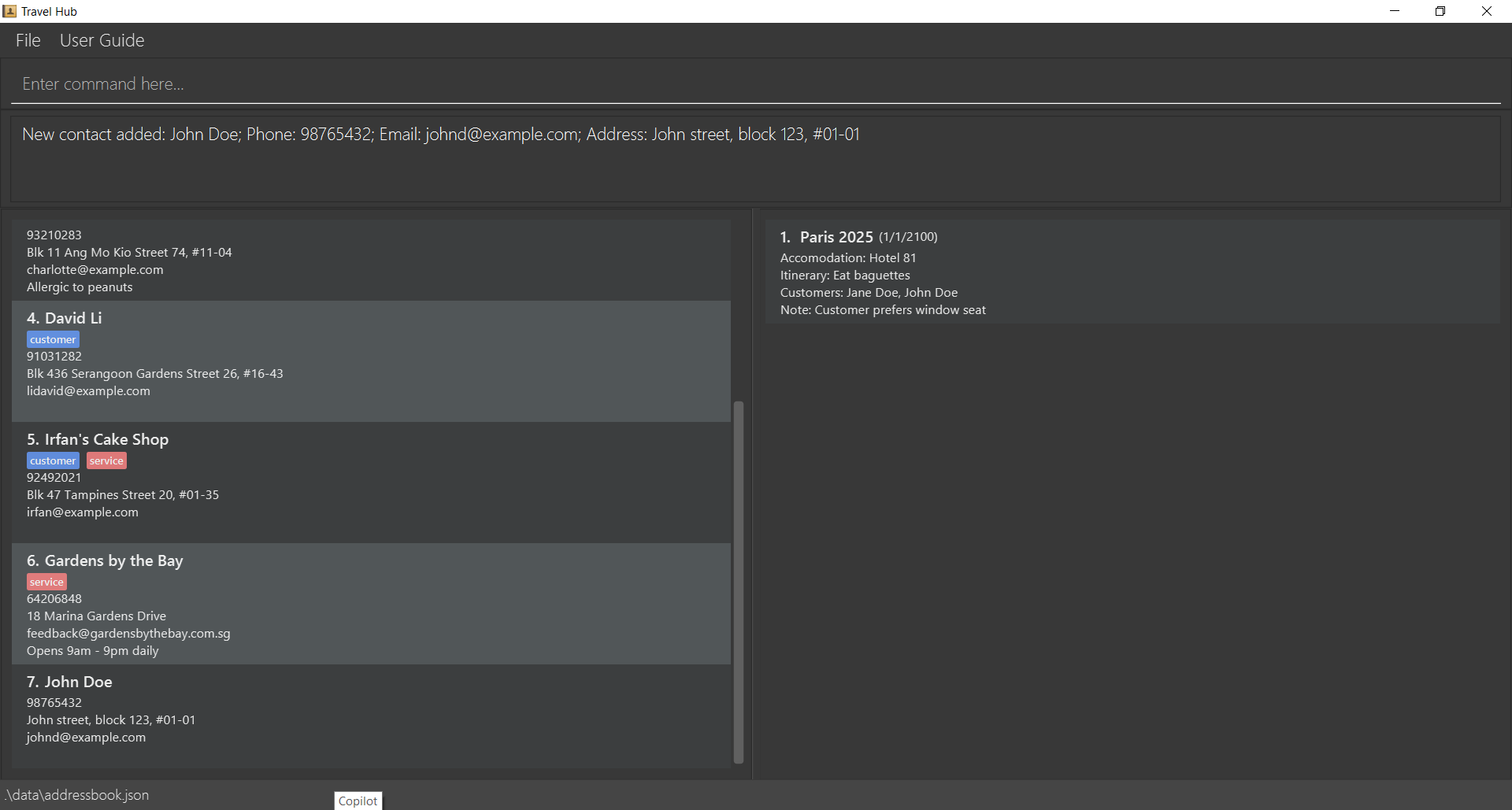
Adding a trip : addTrip
Adds a trip to the trip book.
Format: addTrip n/NAME acc/ACCOMMODATION i/ITINERARY d/DATE [c/CUSTOMER_NAME]... [nts/NOTE]
- Adds a trip with the specified details.
- Trip name must be unique across all trips.
- The date should be in the format of D/M/YYYY, signifying the trip's start date.
- A valid date ranges from 1950 to 2100, as past trips can also be logged.
- Customer names are optional. You can specify multiple customer names by using the c/ prefix multiple times.
- You can add optional notes about the trip using the nts/ prefix.
- Note that if your note contains any parameter prefixes (n/, acc/, i/, d/, c/), they will be treated as separate parameters and not as part of the note text.
Examples:
addTrip n/Paris 2025 acc/Hotel Sunshine i/Visit Eiffel Tower; Eat baguette d/01/1/2025 c/Jane Doe c/John Doe nts/Remember to book ticketsaddTrip n/Beach Vacation acc/Beach Resort i/Relax by the beach; Snorkeling d/15/3/2024 c/Alice Smith nts/All-inclusive packageaddTrip n/Business Conference acc/City Hotel i/Attend presentations; Networking d/10/5/2024 nts/Corporate rate applies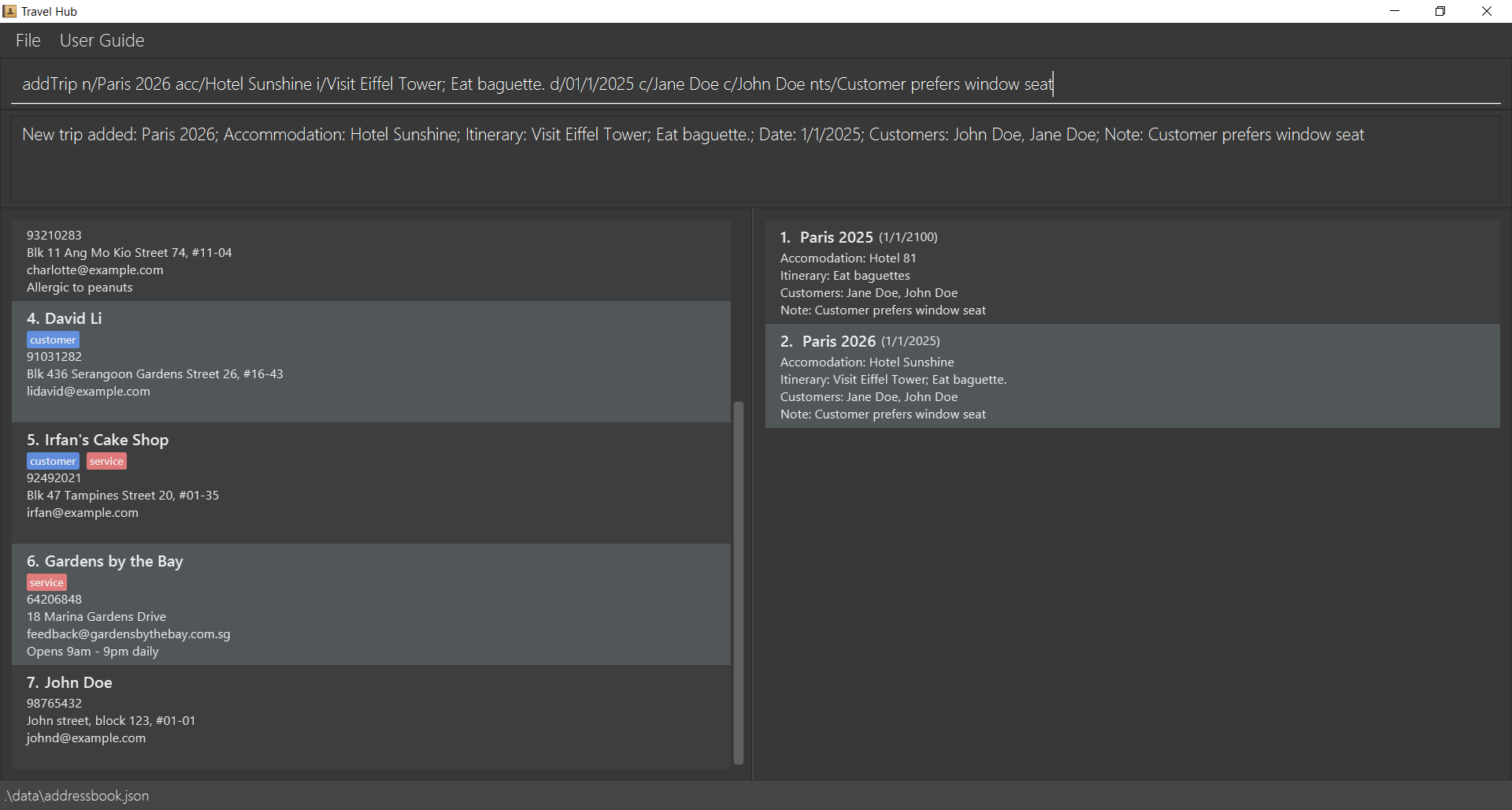
Clearing all entries : clear
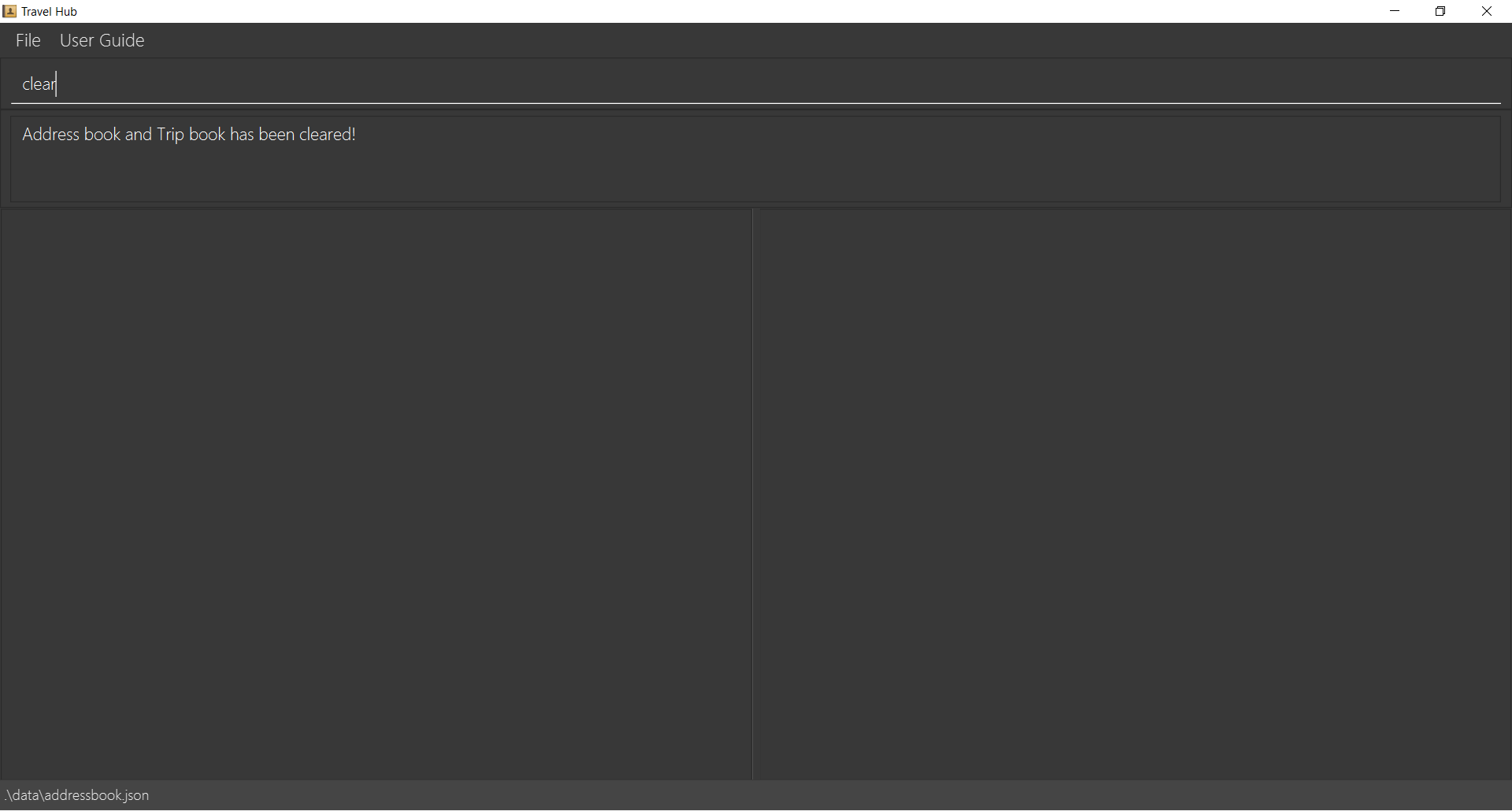
Clears all contact and trip entries stored in the application.
Format: clear
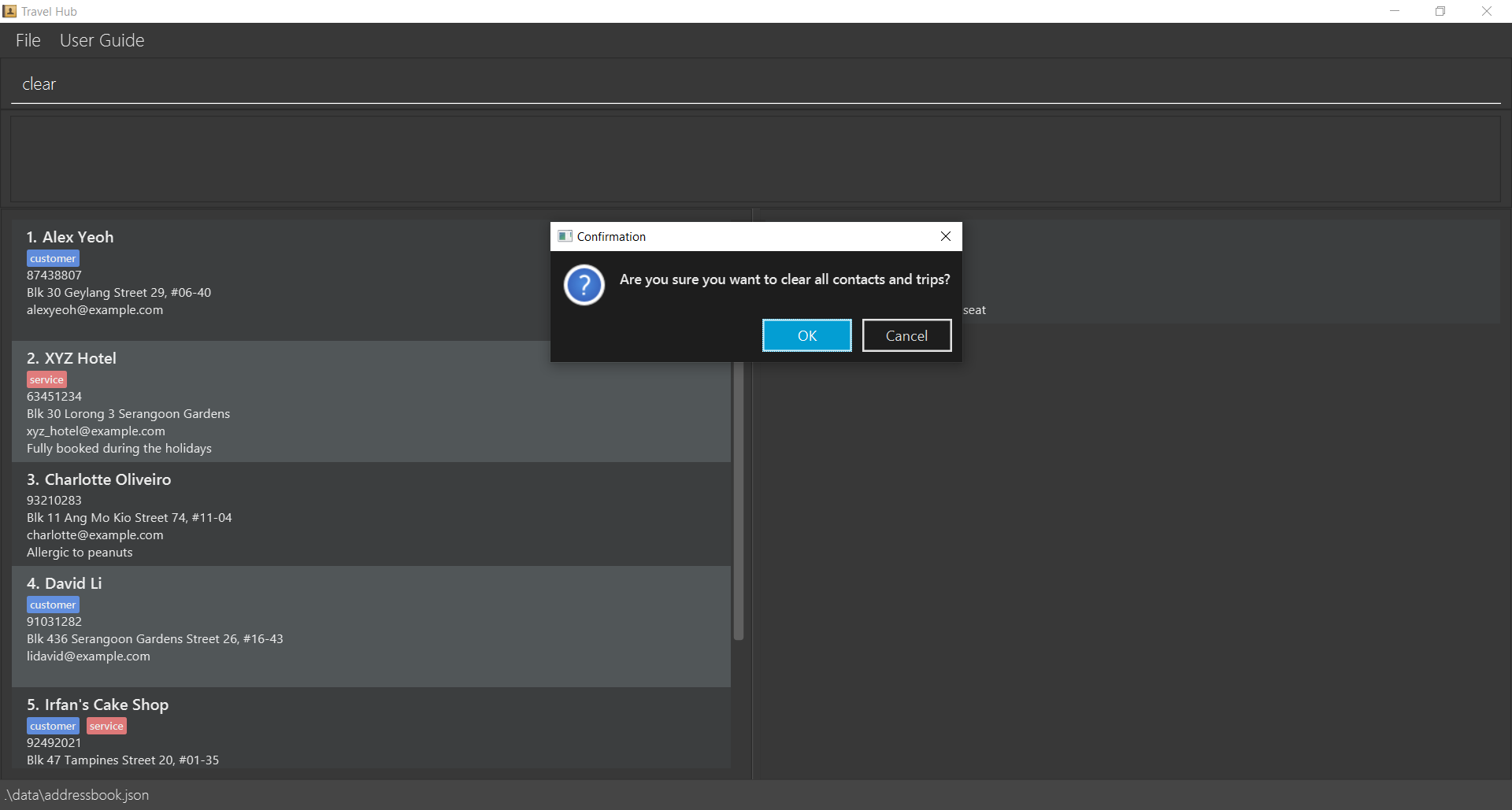
Upon execution of this command, a confirmation pop-up will appear:
- Select "OK" to confirm and proceed with clearing all data.
- Select "Cancel" to abort and retain existing data.
Any additional text after clear (e.g., clear abc) will be ignored. The command will still be processed as clear.
Deleting a contact : deleteContact
Deletes the specified contact from the address book.
Format: deleteContact INDEX
- Deletes the contact at the specified
INDEX. - The index refers to the number shown in the currently displayed contact list.
- The index must be a positive integer 1, 2, 3, …
- The index *must be within the range of the displayed contact list,
Examples:
listContactfollowed bydeleteContact 2deletes the 2nd contact in the address book.find Betsyfollowed bydeleteContact 1deletes the 1st contact in the results of thefindcommand.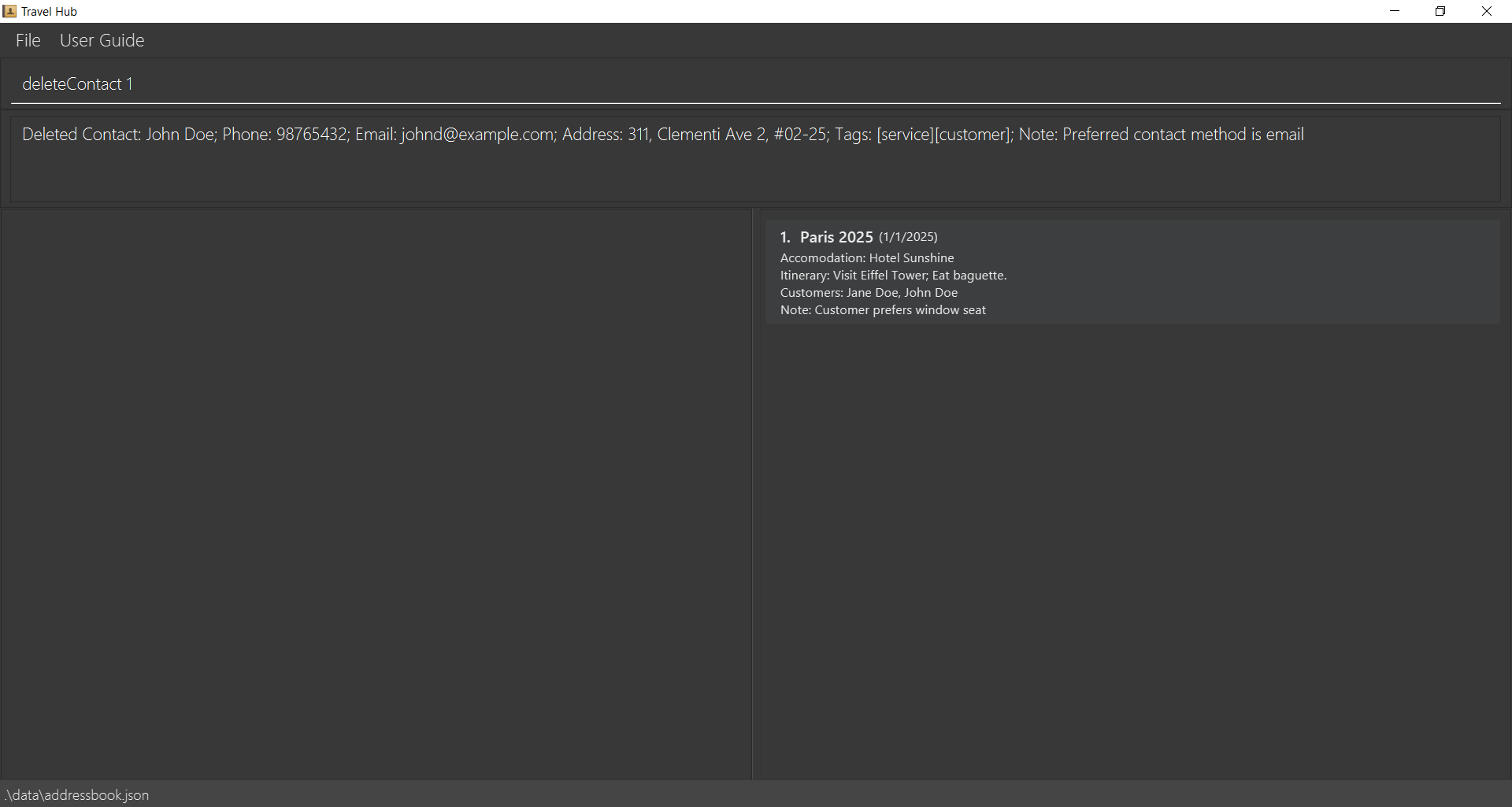
Deleting a trip : deleteTrip
Deletes the specified trip from the trip book.
Format: deleteTrip INDEX
- Deletes the trip at the specified
INDEX. - The index refers to the number shown in the currently displayed trip list.
- The index must be a positive integer 1, 2, 3, …
- The index must be within the range of the displayed trip list.
Examples:
listTripfollowed bydeleteTrip 2deletes the 2nd trip in the trip book.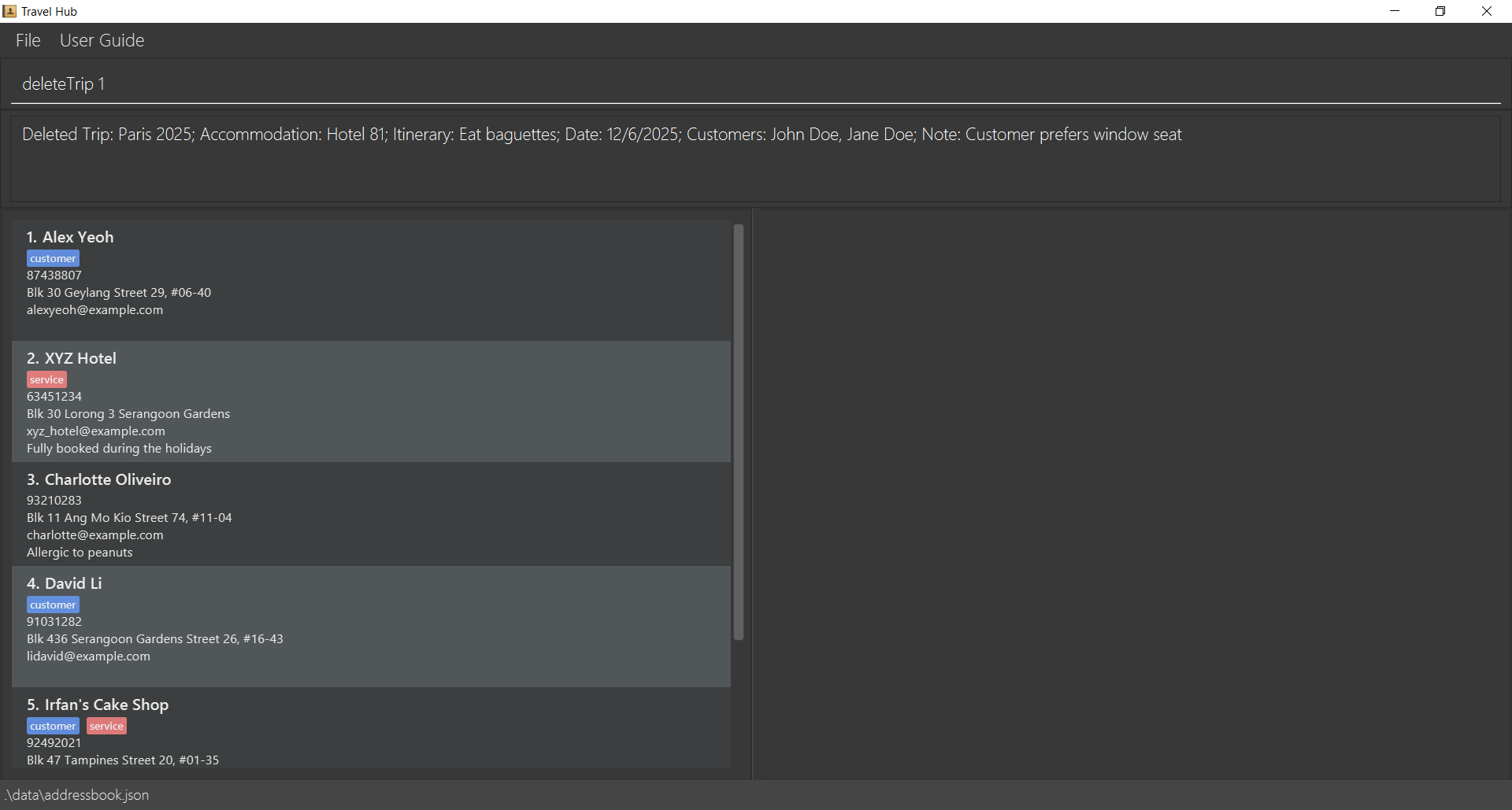
Editing a contact : editContact
Edits an existing contact in the address book.
Format: editContact INDEX [n/NAME] [p/PHONE] [e/EMAIL] [a/ADDRESS] [t/TAG]… [nts/NOTE]
- Edits the contact at the specified
INDEX. - The index refers to the number shown in the currently displayed contact list.
- The index must be a positive integer 1, 2, 3, …
- The index must be within the range of the displayed contact list,
- Email must be unique across all contacts.
- At least one of the optional fields must be provided.
- Existing values will be updated to the input values.
- When editing tags, the existing tags of the contact will be removed i.e. adding of tags is not cumulative.
- You can remove all the contact's tags by typing
t/without specifying any tags after it. - You can remove all the contact's notes by typing
nts/without specifying anything after it. - Note that if your note contains any parameter prefixes (n/, p/, e/, a/, t/), they will be treated as separate parameters and not as part of the note text.
Examples:
editContact 1 p/91234567 e/johndoe@example.comEdits the phone number and email address of the 1st contact to be91234567andjohndoe@example.comrespectively.editContact 2 n/Betsy Crower t/Edits the name of the 2nd contact to beBetsy Crowerand clears all existing tags.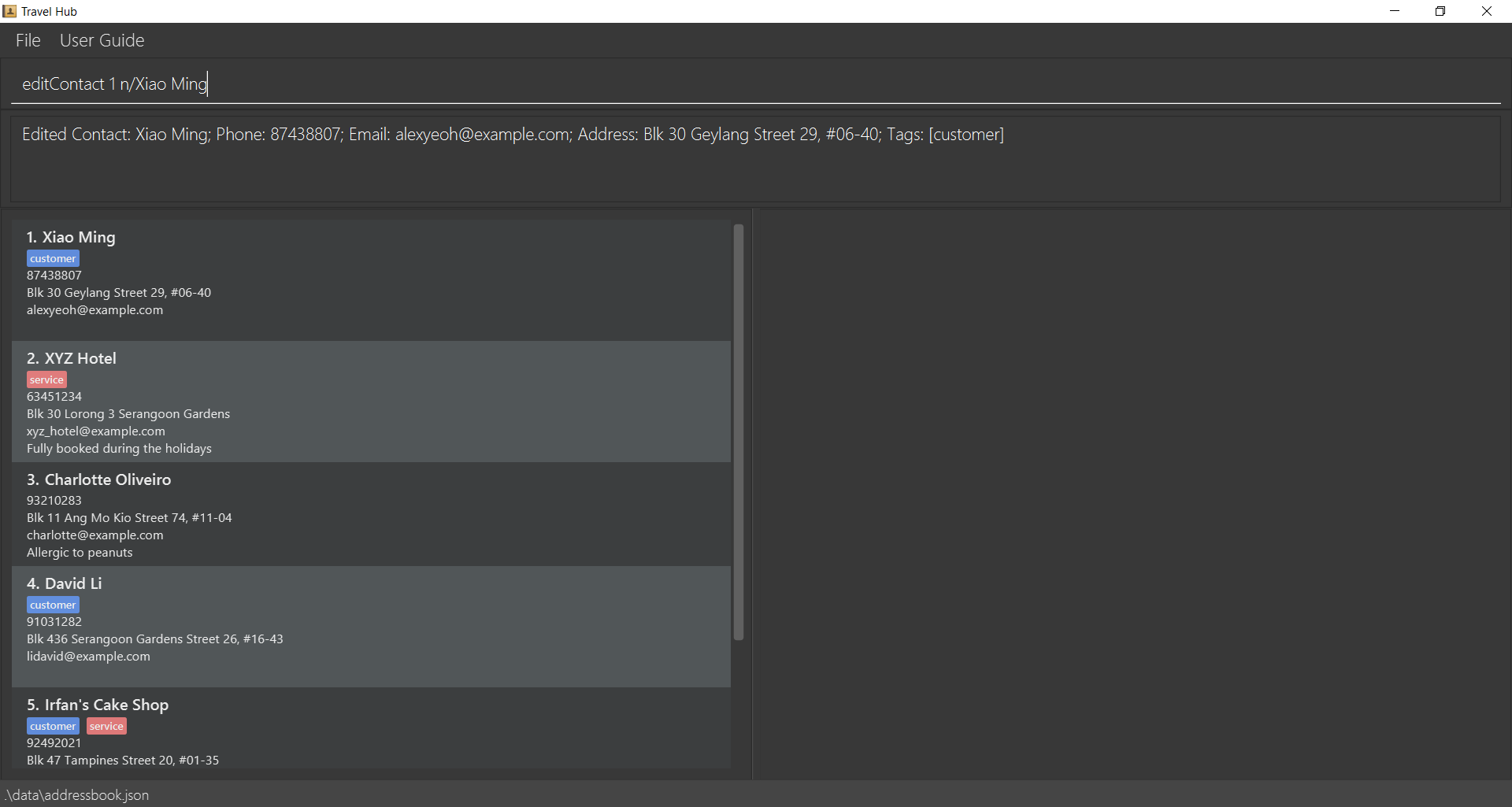
Editing a trip : editTrip
Edits an existing trip in the trip book.
Format: editTrip INDEX [n/NAME] [acc/ACCOMMODATION] [i/ITINERARY] [d/DATE] [c/CUSTOMER_NAME]... [nts/NOTE]
- Edits the trip at the specified
INDEX. - The index refers to the number shown in the currently displayed trip list.
- The index must be a positive integer 1, 2, 3, …
- The index must be within the range of the displayed trip list.
- Trip name must be unique across all trips.
- At least one of the optional fields must be provided.
- Existing values will be updated to the input values.
- When editing customer names, the existing customer names of the trip will be removed and replaced with the new ones.
- You can remove all customer names by not including any c/ prefixes.
- You can remove all trip notes by typing
nts/without specifying anything after it. - Note that if your note contains any parameter prefixes (n/, acc/, i/, d/, c/), they will be treated as separate parameters and not as part of the note text.
- Customer names are optional.
Examples:
editTrip 1 acc/Grand Hotel i/Visit Louvre; Visit Seine River nts/Changed hotel due to availabilityEdits the accommodation, itinerary, and adds a note for the 1st trip.editTrip 2 n/London Trip 2025 c/Jane Doe c/Bob SmithEdits the name and changes the customer names for the 2nd trip.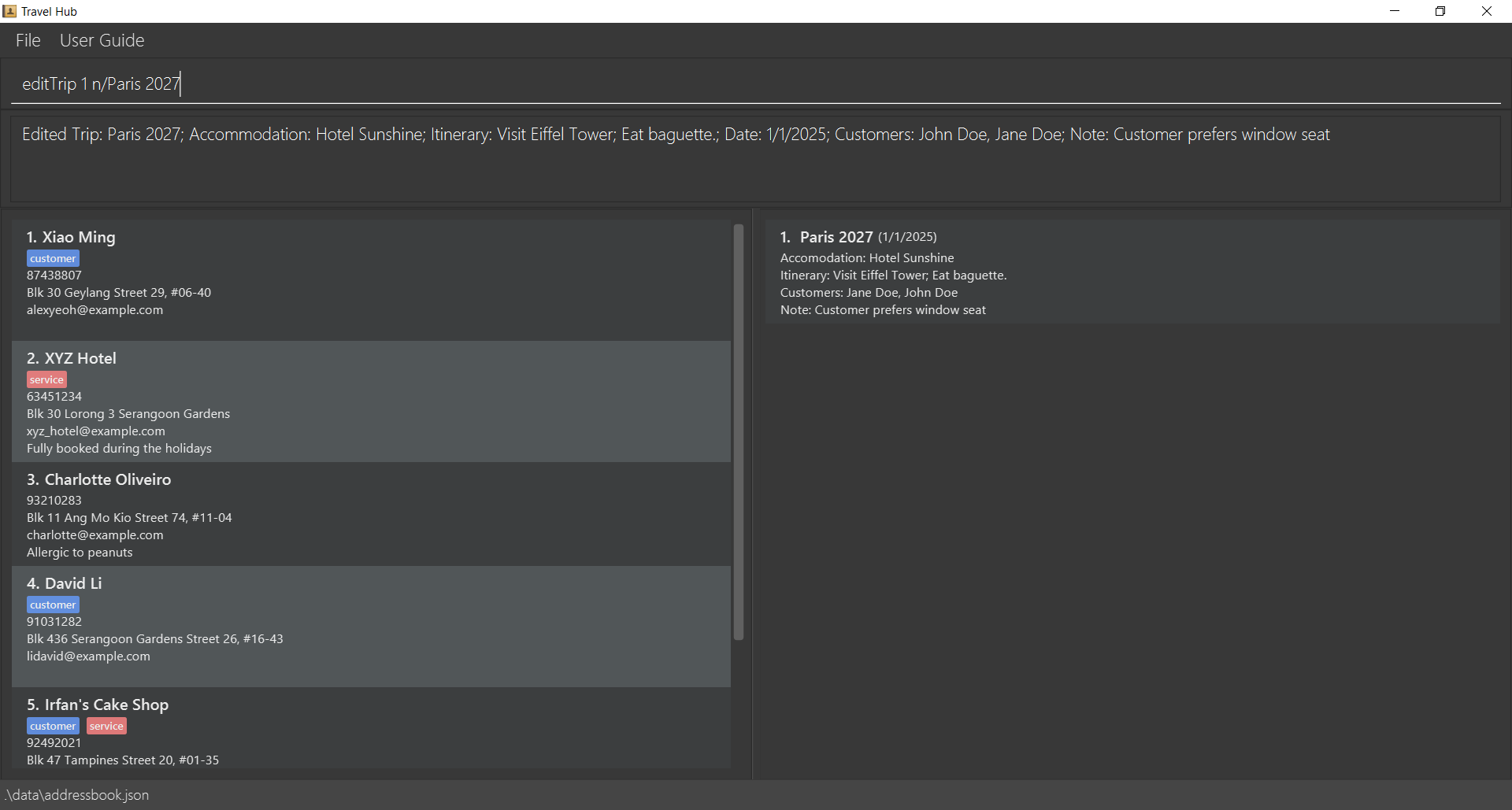
Exiting the program : exit
Exits the program.
Format: exit
Any additional text after exit (e.g., exit xyz) will be ignored. The command will still be processed as exit.
Locating contacts by name: find
Finds contacts whose names contain any of the given keywords.
Format: find KEYWORD [MORE_KEYWORDS]
- The search is case-insensitive. e.g
hanswill matchHans - The order of the keywords does not matter. e.g.
Hans Bowill matchBo Hans - Only the name is searched.
- Only exact words will be matched e.g.
Hanwill not matchHans - Persons matching at least one keyword will be returned (i.e.
ORsearch). e.g.Hans Bowill returnHans Gruber,Bo Yang
Examples:
find JohnreturnsjohnandJohn Doefind alex davidreturnsAlex Yeoh,David Li
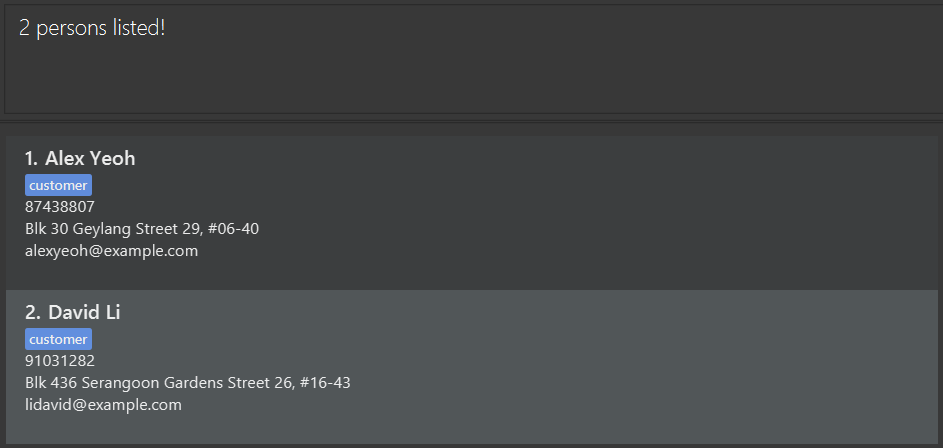
Viewing help : help
Shows a list of all available commands.
Format: help
Any additional text after help (e.g., help xyz) will be ignored. The command will still be processed as help.
Expected output:
Available commands:
- addContact: Adds a new contact
- addTrip: Adds a new trip with name, accommodation, itinerary, date, optional customer names and optional note
- clear: Clear all contacts and trips
- deleteContact: Removes a contact at a specified index
- deleteTrip: Removes a trip at a specified index
- editContact: Edits a contact at a specified index
- editTrip: Edits a trip at a specified index
- exit: Exits the program
- find: Find contacts whose names contain any of the given keywords
- help: Shows program usage instructions
- listContact: Lists all contacts [can specify tag type]
- listTrip: Lists all trips [can specify date]

Listing contacts : listContact
Shows a list of contacts in the address book.
Format: listContact [customer/service]
- Without specifying the optional parameter, all contacts will be displayed.
- By specifying the
[customer/service]parameter, only contacts with the tag will be displayed.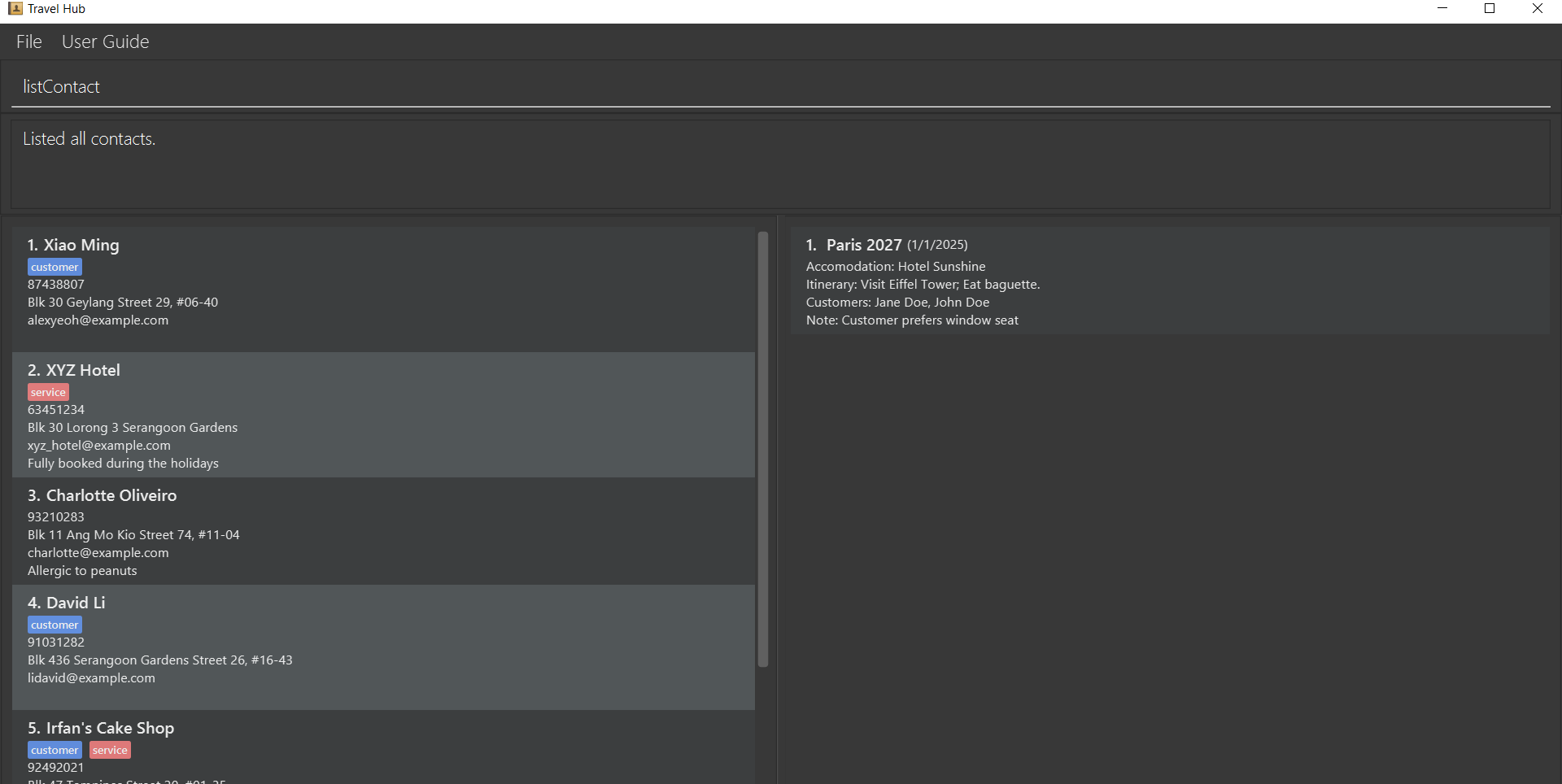
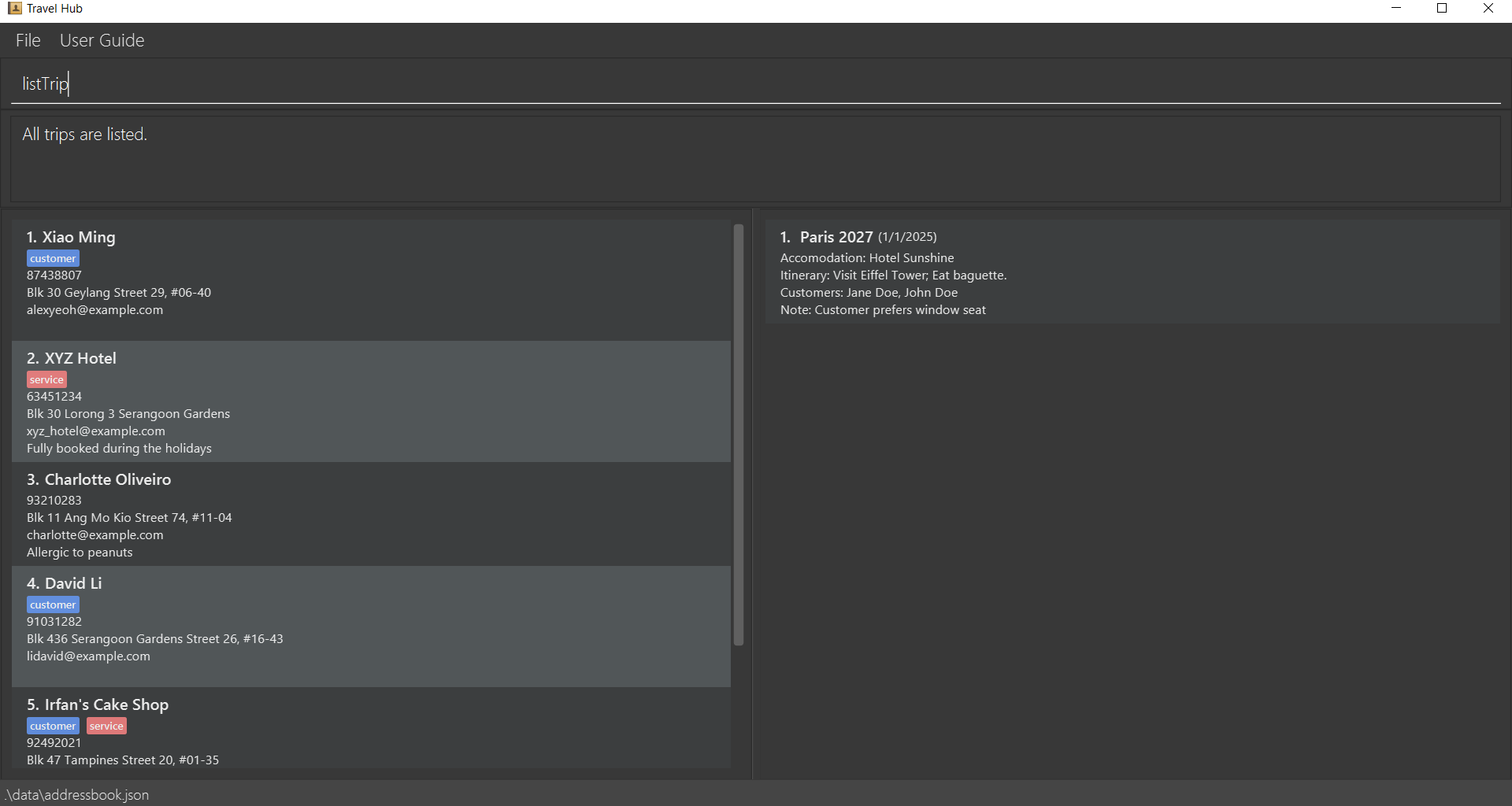
Listing all trips : listTrip
Shows a list of all trips in the trip book.
Format: listTrip [DATE]
- Without specifying the optional parameter, all trips will be displayed.
- By specifying the
[DATE]parameter, only trips on that specific date will be displayed. - The date should be in the format of D/M/YYYY.
Saving the data
ContactBook and TripBook data are saved in the hard disk automatically after any command that changes the data. There is no need to save manually.
Editing the data file
ContactBook data are saved automatically as a JSON file [JAR file location]/data/addressbook.json. Similarly, TripBook data are saved automatically as a JSON file [JAR file location]/data/tripbook.json. Advanced users are welcome to update data directly by editing that data file.
Caution:
If your changes to the data file makes its format invalid, ContactBook and TripBook will discard all data and start with an empty data file at the next run. Hence, it is recommended to take a backup of the file before editing it.
Furthermore, certain edits can cause the ContactBook and TripBook to behave in unexpected ways (e.g., if a value entered is outside the acceptable range). Therefore, edit the data file only if you are confident that you can update it correctly.
FAQ
Q: How do I transfer my data to another Computer?
A: Install the app in the other computer and overwrite the empty data file it creates with the file that contains the data of your previous ContactBook and TripBook home folder.
Known issues
- When using multiple screens, if you move the application to a secondary screen, and later switch to using only the primary screen, the GUI will open off-screen. The remedy is to delete the
preferences.jsonfile created by the application before running the application again. - If you minimize the Help Window and then run the
helpcommand (or use theUser Guidemenu, or the keyboard shortcutF1) again, the original Help Window will remain minimized, and no new Help Window will appear. The remedy is to manually restore the minimized Help Window.
Command summary
All commands are case-sensitive and are listed in alphabetical order below.
| Action | Format, Examples |
|---|---|
| Add Contact | addContact n/NAME p/PHONE e/EMAIL a/ADDRESS [t/TAG]… [nts/NOTE] e.g., addContact n/James Ho p/22224444 e/jamesho@example.com a/123, Clementi Rd, 1234665 t/customer |
| Add Trip | addTrip n/NAME acc/ACCOMMODATION i/ITINERARY d/DATE [c/CUSTOMER_NAME]... [nts/NOTE]e.g., addTrip n/Paris 2025 acc/Hotel Sunshine i/Visit Eiffel Tower; Eat baguette d/01/1/2025 c/Jane Doe c/John Doe nts/Customer prefers window seat |
| Clear | clear |
| Delete Contact | deleteContact INDEXe.g., deleteContact 3 |
| Delete Trip | deleteTrip INDEXe.g., deleteTrip 3 |
| Edit Contact | editContact INDEX [n/NAME] [p/PHONE] [e/EMAIL] [a/ADDRESS] [t/TAG]… [nts/NOTE]e.g., editContact 2 n/James Lee e/jameslee@example.com or editContact 5 p/98765432 t/service nts/Allergic to fish |
| Edit Trip | editTrip INDEX [n/NAME] [acc/ACCOMMODATION] [i/ITINERARY] [d/DATE] [c/CUSTOMER_NAME]... [nts/NOTE]e.g., editTrip 1 acc/Grand Hotel i/Visit Louvre; Visit Seine River nts/Changed hotel due to availability or editTrip 3 n/Batam Trip d/17/12/2025 |
| Exit | exit |
| Find | find KEYWORD [MORE_KEYWORDS]e.g., find James Jake or find Alex |
| Help | help |
| List Contact | listContact [customer/service] e.g., listContact or listContact service or listContact customer |
| List Trip | listTrip [DATE]e.g., listTrip or listTrip 15/12/2023 |